Video chat & collaboration

Great work happens together.

macOS 15+ · Apple silicon

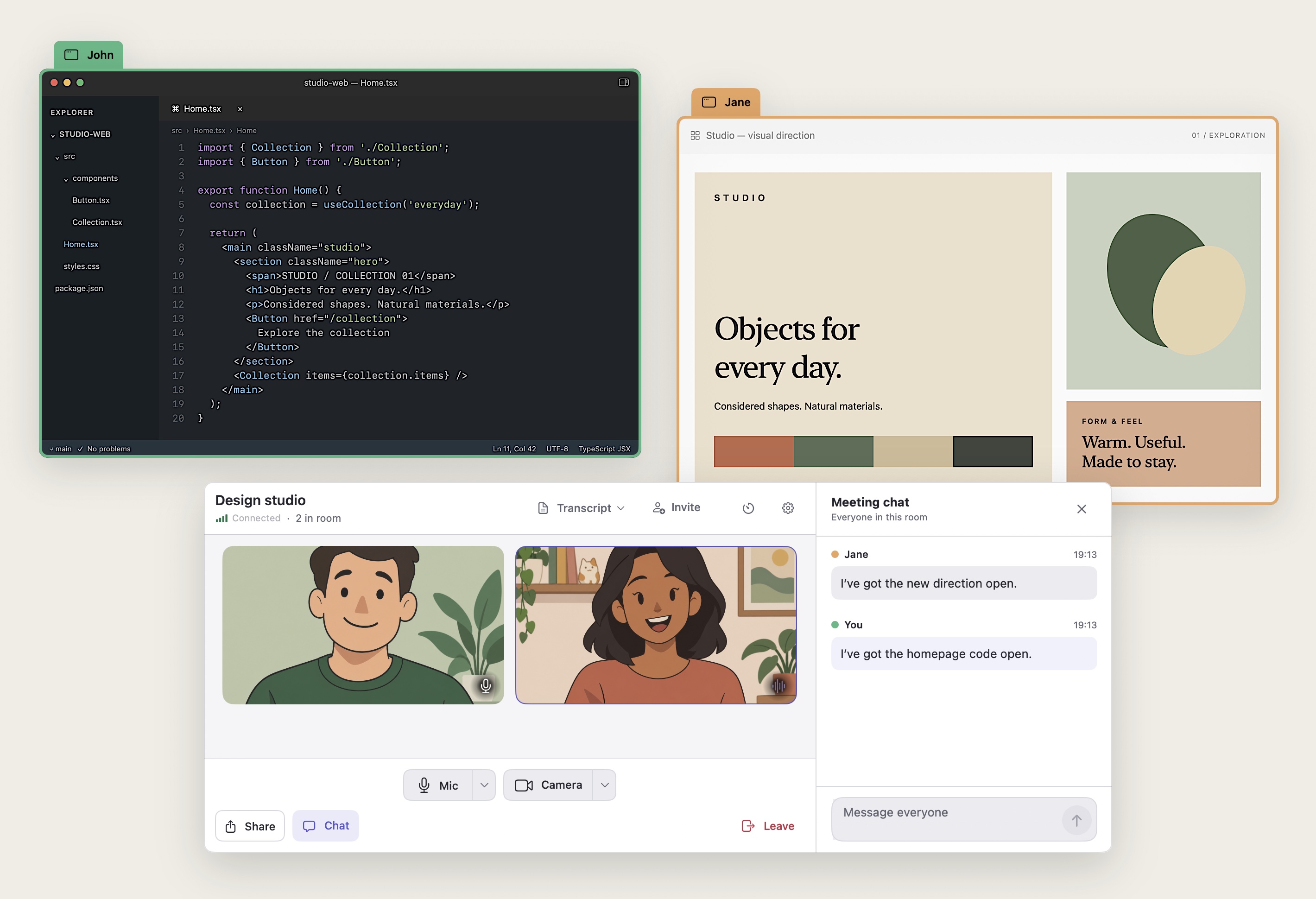
John shares a code editor with a green border and Jane shares a design with an orange border, alongside their blixel video call and integrated chat.

In the room

For teams that do more than meet.

01 / Multiple windows

Screen sharing without taking turns.

Everyone can share multiple windows at once.
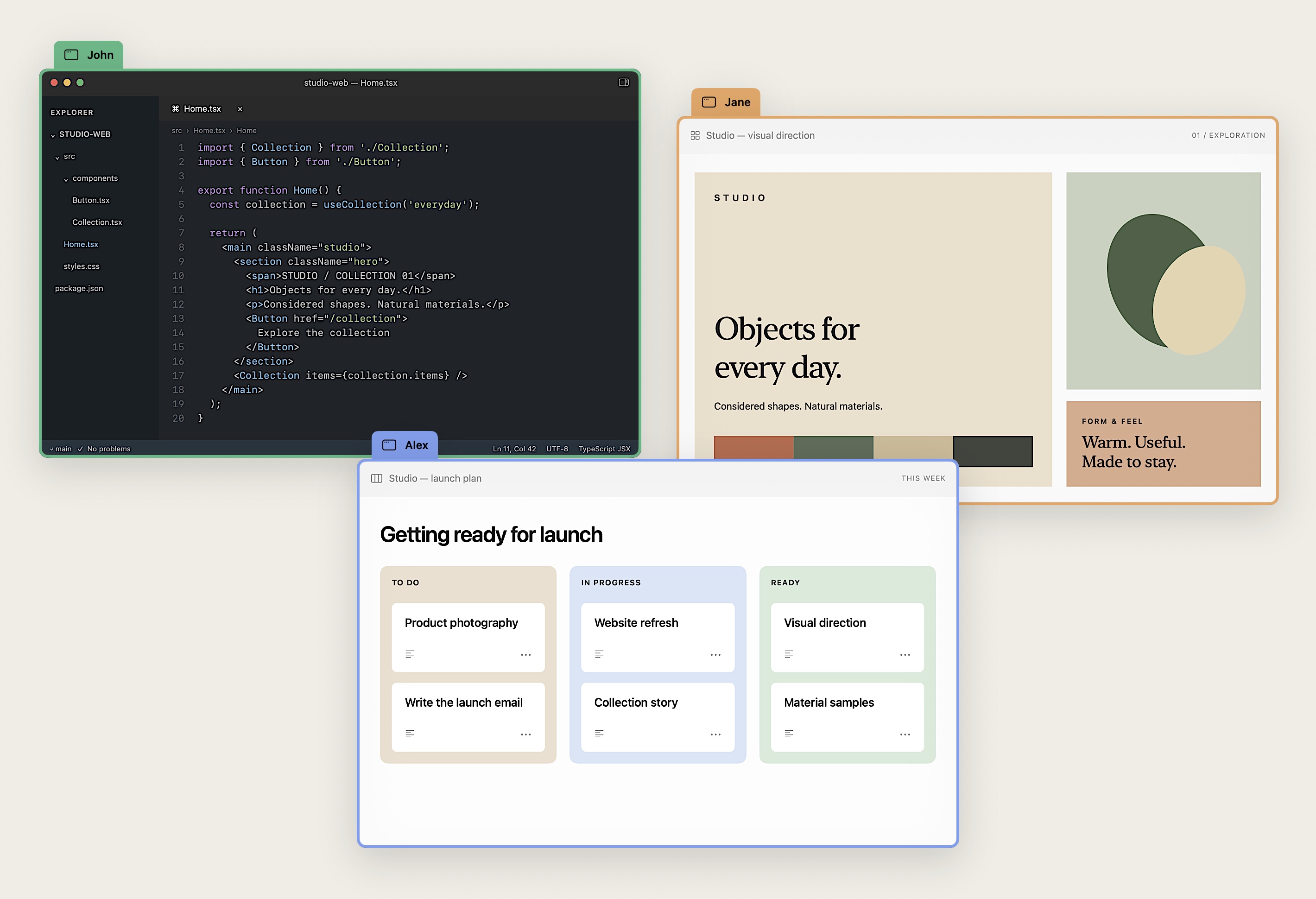
Three shared windows in blixel: John’s code editor in green, Jane’s design in orange, and Alex’s launch plan in blue.

02 / Agent handoffs

Bring your agents to the meeting.

Say what needs doing and hand it to an agent in the room, yours or a teammate’s. The work starts while the call is still going.
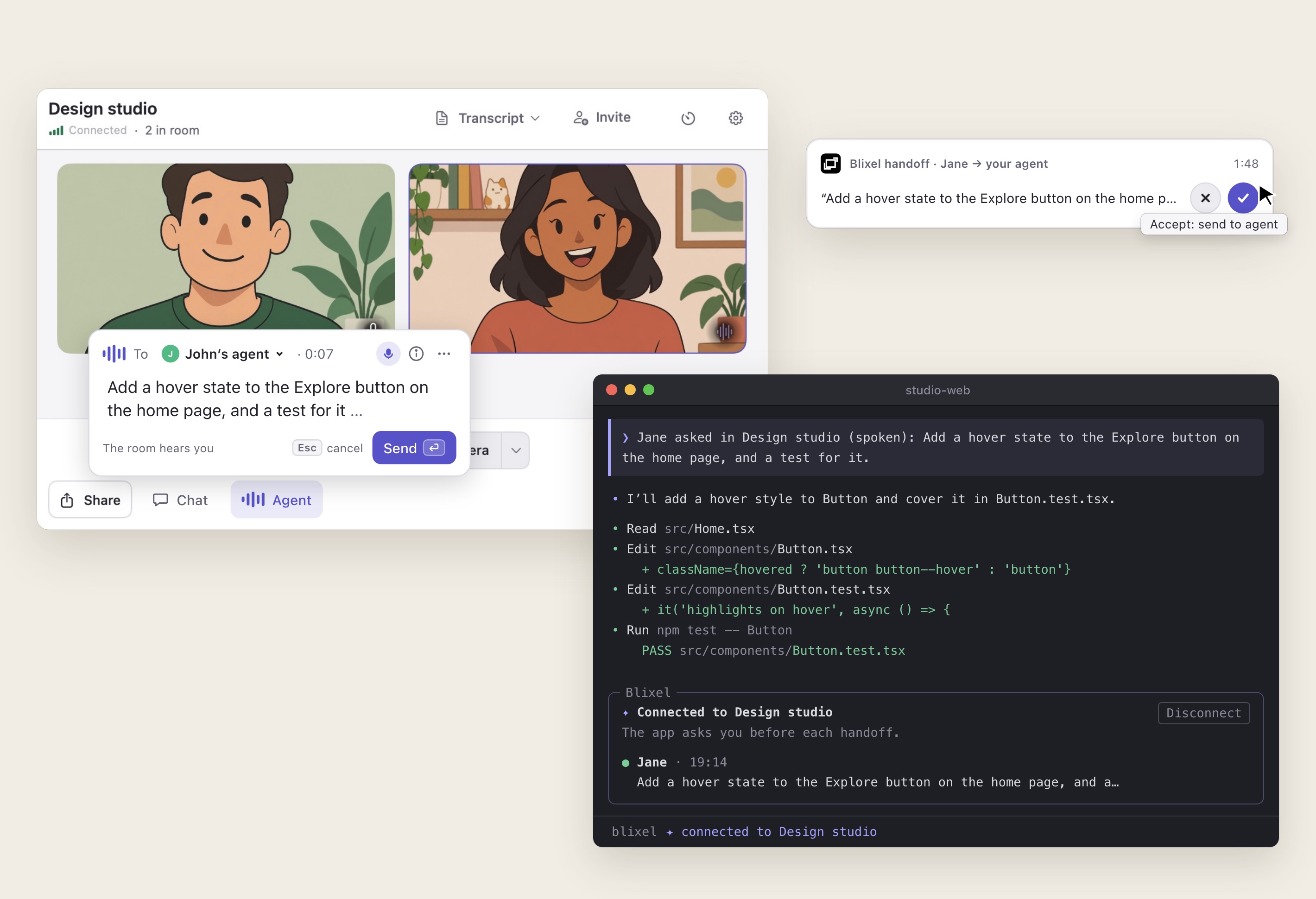
In a blixel call, Jane speaks a request to John’s agent and the words appear as they are spoken. John gets a small panel with the request and accepts it, and it arrives as a prompt in the terminal session of John’s agent, which shows the meeting it is connected to.
  • Just say it.

    Talk to an agent the way you talk to the room. Your words become text on your own Mac, and typing works too.

  • Their agent, their call.

    A request reaches a teammate’s agent only once they say yes, unless they let requests straight through.

  • Works with the agent you use.

    Claude Code and Codex pick it up in the session you already have open.

03 / Transcripts

A record you can return to.

Built-in transcripts make conversations searchable and ready to use beyond the call.

blixel’s transcript browser with a recorded conversation and search.

04 / Built for agents

Every part of blixel is one command away.

blixel comes with a CLI made for agents. Yours can read what was said, share a window, post in the chat and set up rooms, so one request goes from feedback in the call to a pull request in the chat.
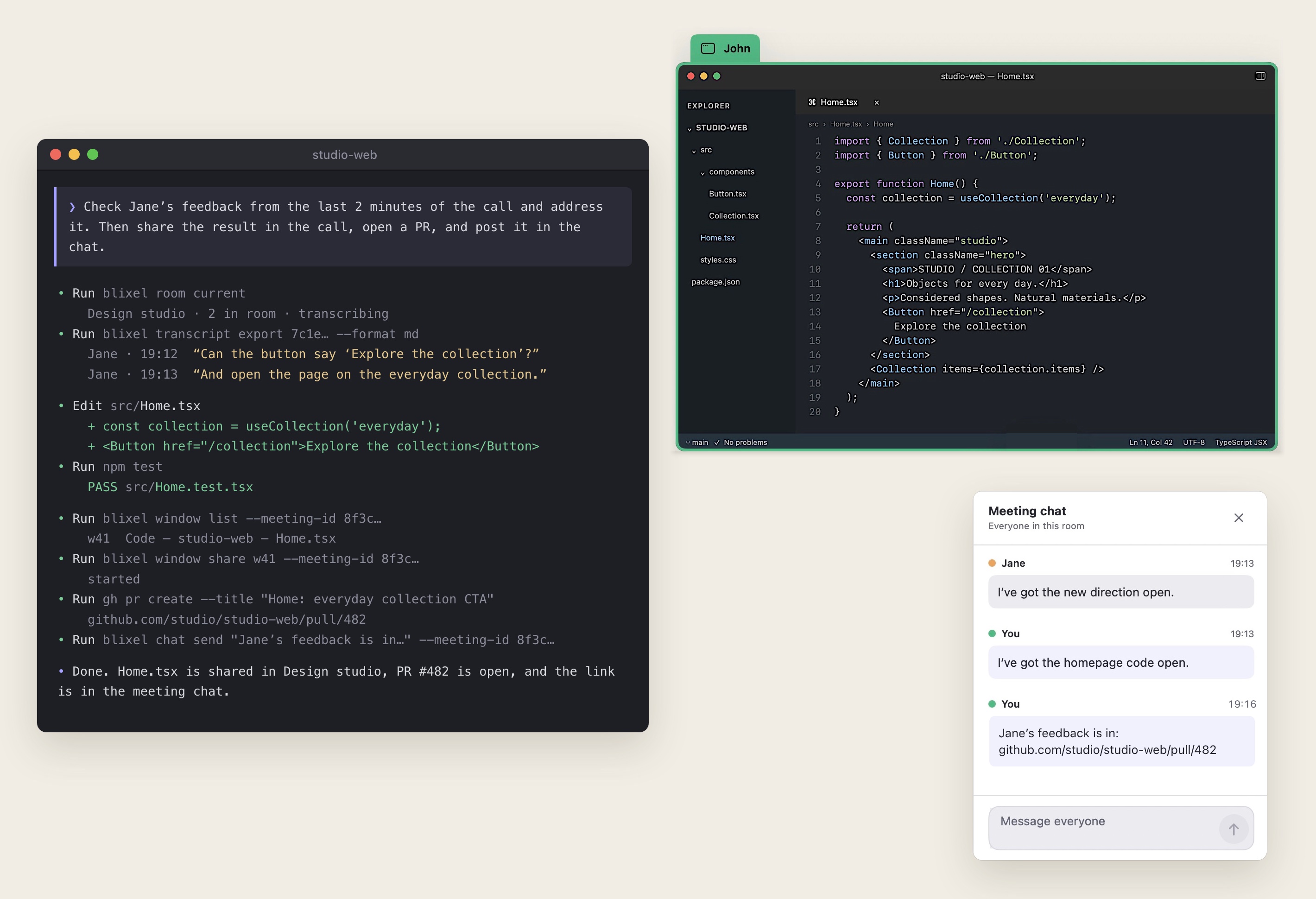
An agent is asked to address Jane’s feedback from the last two minutes of the call. It reads the call’s transcript, edits the code, shares John’s editor into the call, opens a pull request and posts the link in blixel’s meeting chat.

Add blixel to your agent.

Requires blixel 0.15.1 or later.

Inside Claude Code

/plugin marketplace add blixel-app/skills
/plugin install blixel@blixel-app
Other agents

Codex

Ask Codex:

Install the blixel plugin from the GitHub marketplace blixel-app/skills.

Start a new session after installation.

05 / Automations

Automation on your terms.

Pick an event, the rooms it counts in and a command to run, or just ask your agent to set it up. Have a summary written whenever the daily standup ends, or run your own script when someone joins, and see how every run went.
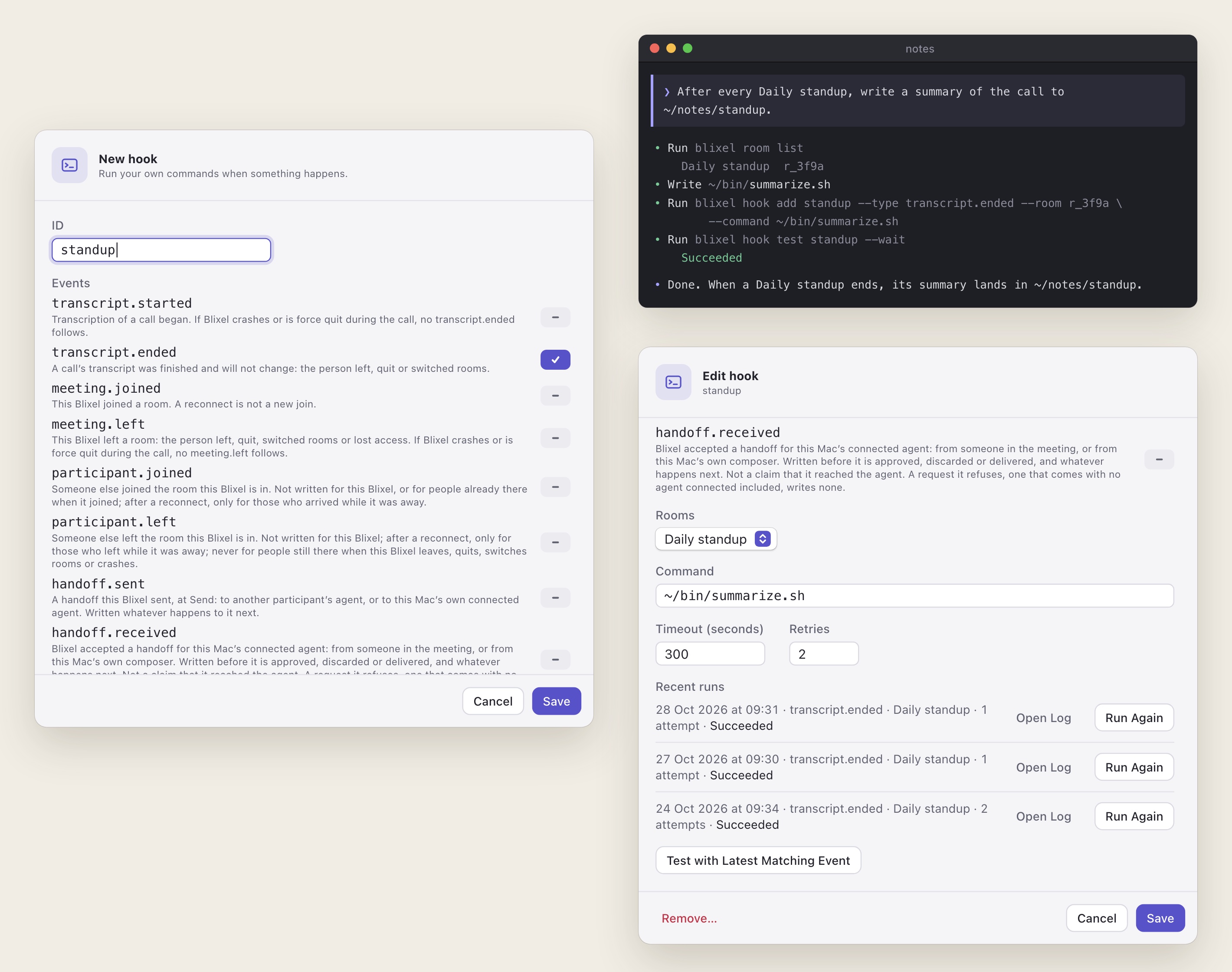
A standup hook set up two ways: in blixel’s hook editor, picking the transcript.ended event, and by an agent asked to summarize every Daily standup, which adds and tests the hook with the blixel CLI. The hook’s editor then shows ~/bin/summarize.sh for the Daily standup room and its recent runs, all succeeded.

Download

Get your team in a room.

Download for Mac

or install with Homebrew

brew install --cask blixel-app/tap/blixel

macOS 15+ · Apple silicon